
Glitchworks Guard: Free Discord Security Bot
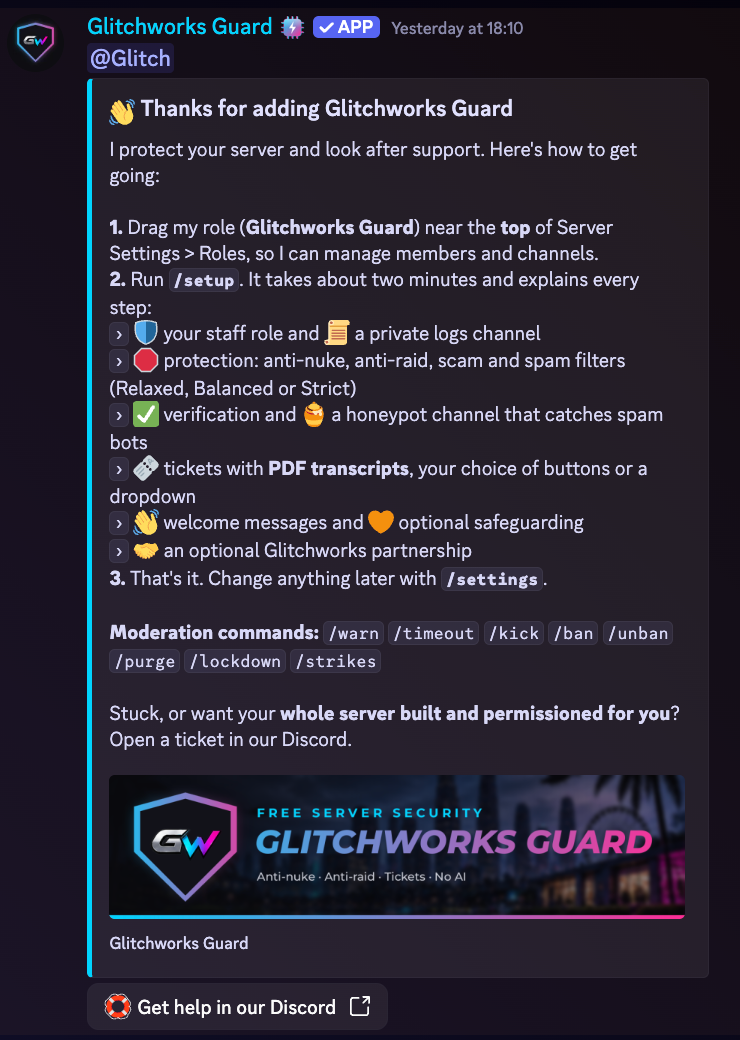
Glitchworks Guard is a free security, tickets and moderation bot for any Discord server, with optional packs for FiveM servers, streamers, music, duty shifts and polls. There's no AI and no paywall: add it, run /setup, and your server is protected in minutes.

At a glance
- Everything below is free, with no premium tier
- No AI: simple, predictable rules
- Set up in minutes with the /setup wizard
- Run and updated by Glitchworks, so there's nothing to host
- Change settings in Discord with /settings, or on the website dashboard
Everything in Guard, free
Protection
- Anti-nuke: stops rogue admins or hacked accounts mass-deleting channels, roles or members
- Anti-raid and a bot guard that blocks unapproved bots
- Scam link, spam and mass-mention filters
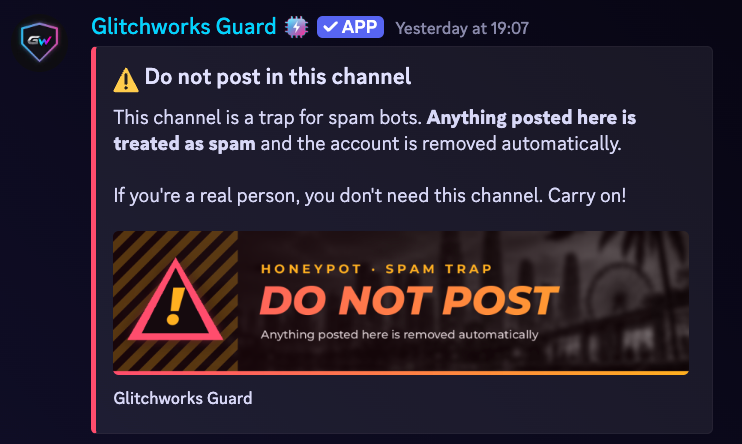
- Honeypot channel that catches spam bots
- Automatic backups of roles, channels and permissions twice a day, with one-command restore
- Self-repair if its channels or panels are deleted
Support tickets
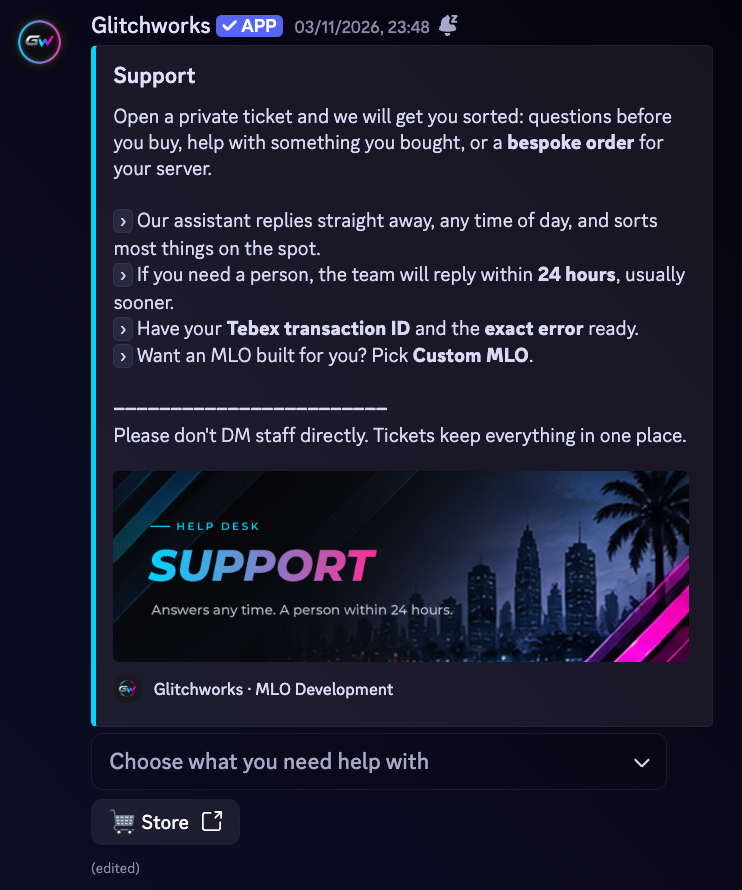
- Ticket panel with buttons or a dropdown
- Private channel per ticket with claim, transfer, add and remove
- Branded PDF transcript to your logs and to the member when a ticket closes
- Transcripts deleted automatically after your retention period
Moderation and logs
- Warn, timeout, kick, ban, unban, purge and server lockdown
- Strike history for every member
- Logs for joins, leaves, edits, deletes and moderation
- Verification button with an optional minimum account age
Community and privacy
- Optional starter layout for your kind of server: roles, categories, a public chat and voice channels
- Welcome messages
- Optional safeguarding alerts to senior staff (text only, off by default)
- Members can download or ask to delete their data with /mydata (UK GDPR)
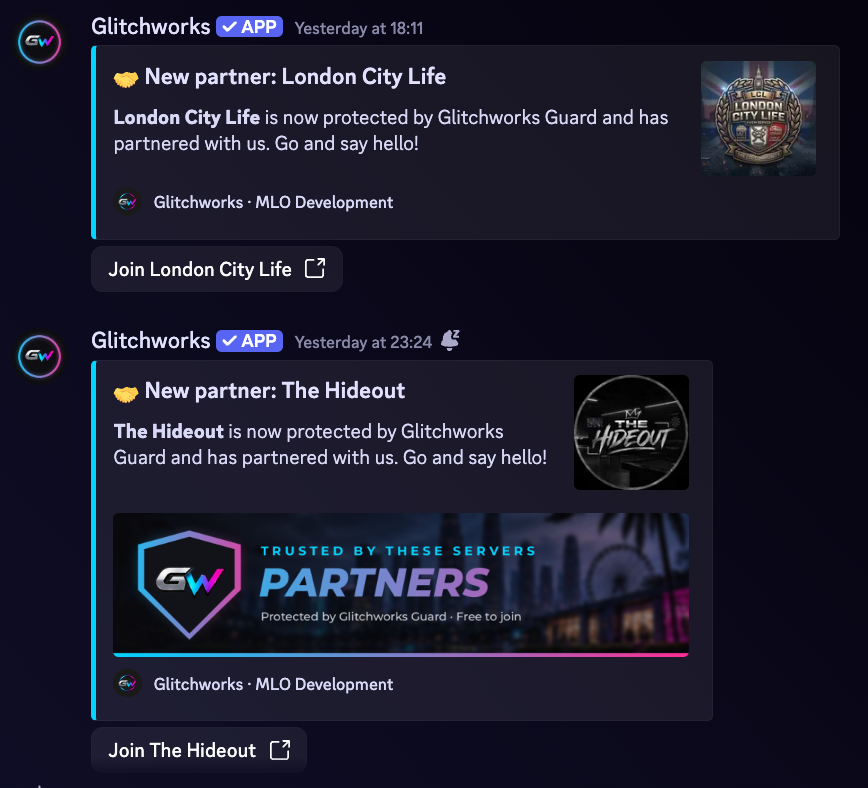
- Partner directory, plus 5% off our store (10% for partners)
- Website dashboard for changing your server's settings
Member checks and Glitchworks Safety
- Member checks: a join risk score, hold for review, lookalike names, rejoin tracking and possible ban evader alerts
- Staff notes, and an optional picture or secret-word challenge on Verify
- Report someone to Glitchworks Safety: reports are checked by Glitchworks reviewers against our published Community Safety Guidelines
- Warnings, BOLOs and Blacklists that expire, and appeals handled by a different reviewer
FiveM servers
- Server status panel with player count, a Connect button and offline alerts
- Whitelist and department applications with Accept, Interview and Deny
- Whitelist by Discord role, job to Discord roles and txAdmin logs, using our free Glitchworks Link resource
Streamers and music
- Go-live alerts for Twitch, YouTube and Kick, with a Live now role and board
- Optional Twitch clips feed
- Spotify pack: now playing cards, a shared playlist and a listener role, for members who opt in
Staff tools
- Duty and shifts: clock in from Discord or in game, an On Duty role, a shift log and leaderboards
- Polls with a live chart, anonymous voting and voting limited to one role
Safeguarding
Helping your team look out for people
Discord servers bring together people of all ages. Guard's optional safeguarding checks give your senior team a private heads-up when a message suggests someone could be at risk, so a real person can step in. It also helps protect people from doxxing and from sharing details they shouldn't.
Not AI
A rules-based system using word and pattern lists, so it's predictable and transparent. It never reads your messages with an AI model.
Adjustable for each server
Server admins choose which checks are on and which senior roles get the alerts. The owner always gets them.
Alerts, never punishment
It watches text messages and privately alerts only the senior roles you pick, with a "Go to message" button. It never punishes anyone for these.
What it checks for
- Self-harm or suicide riskStaff get UK support numbers to share.Samaritans 116 123Shout 85258Childline 0800 1111
- Grooming-style messagesSecrecy, asking for pictures, moving the chat to other apps, or asking "are you alone".
- Threats of violenceReal-world threats of violence.
- Personal detailsPeople sharing UK mobile numbers, postcodes, street addresses or email addresses.
- Children sharing their ageMessages such as "I'm 13" or "I'm in Year 8".
- DoxxingPosting someone else's real name, address, number or school.
Two switches you control
Honest limits
- Text only. It can't see images, GIFs, video or voice.
- Pattern-based, so it can miss things or flag harmless messages.
- A helping hand, not a replacement for a team.
Free vs paid: what you get
Guard gives every server over 30 features for free. If you want us to do the work, or you need a bot that's truly yours, that's where our paid services come in.
| 35 features free with Guard | Glitchworks GuardFree | Full server setupPaid, quoted | Custom botPaid, quoted |
|---|---|---|---|
| Protection | |||
| Anti-nuke: stops rogue admins or hacked accounts mass-deleting channels, roles and members | ✓ | ✓ | ✓ |
| Anti-raid protection | ✓ | ✓ | ✓ |
| Bot guard: blocks bots you haven't approved | ✓ | ✓ | ✓ |
| Scam link filter | ✓ | ✓ | ✓ |
| Spam and mass-mention filter | ✓ | ✓ | ✓ |
| Honeypot channel that catches spam bots | ✓ | ✓ | ✓ |
| Automatic backups twice a day, with one-command restore | ✓ | ✓ | ✓ |
| Self-repair if its channels or panels are deleted | ✓ | ✓ | ✓ |
| Verification button with minimum account age | ✓ | ✓ | ✓ |
| Support tickets | |||
| Ticket panel with buttons or a dropdown | ✓ | ✓ | ✓ |
| Claim, transfer, add and remove people | ✓ | ✓ | ✓ |
| Branded PDF transcripts to your logs and the member | ✓ | ✓ | ✓ |
| Automatic transcript clean-up | ✓ | ✓ | ✓ |
| Smart tickets that answer common questions instantly | – | – | ✓ |
| Moderation and logs | |||
| Warn, timeout, kick, ban, unban and purge | ✓ | ✓ | ✓ |
| Server-wide lockdown | ✓ | ✓ | ✓ |
| Strike history for every member | ✓ | ✓ | ✓ |
| Logs for joins, leaves, edits, deletes and moderation | ✓ | ✓ | ✓ |
| Website dashboard for your server's settings | ✓ | ✓ | Optional |
| Member checks and Glitchworks Safety | |||
| Join risk checks with hold for review | ✓ | ✓ | ✓ |
| Lookalike name, rejoin and possible ban evader checks | ✓ | ✓ | ✓ |
| Reports checked by Glitchworks Safety reviewers, with appeals | ✓ | ✓ | ✓ |
| FiveM, streamers and staff tools | |||
| FiveM server status panel and player count | ✓ | ✓ | ✓ |
| Whitelist and department applications | ✓ | ✓ | ✓ |
| Discord role whitelist, job role sync and txAdmin logs (free Glitchworks Link resource) | ✓ | ✓ | ✓ |
| Duty clock-in, shift log and leaderboards | ✓ | ✓ | Optional |
| Go-live alerts for Twitch, YouTube and Kick | ✓ | ✓ | Optional |
| Spotify now playing, shared playlist and listener role (opt-in) | ✓ | ✓ | Optional |
| Polls with role-only and anonymous voting | ✓ | ✓ | Optional |
| Community and safety | |||
| Starter roles, categories and channels for your type of server | ✓ | ✓ | ✓ |
| Welcome messages | ✓ | ✓ | ✓ |
| Safeguarding alerts to senior staff (optional, text only) | ✓ | ✓ | ✓ |
| Member data tools: /mydata get and delete (UK GDPR) | ✓ | ✓ | ✓ |
| Listed in the Glitchworks partner directory | ✓ | ✓ | – |
| Store discount: 5% off, or 10% for partners | ✓ | ✓ | – |
| No AI: simple, predictable rules | ✓ | ✓ | ✓ |
| Done for you | |||
| Who sets it up | You, with /setup | We do | We do |
| Your whole server built for you (channels, roles, permissions, panels) | – | ✓ | Optional |
| Your server's name and logo on the bot | – | – | ✓ |
| Tebex purchase verification and customer roles | – | – | ✓ |
| Feed of new store packages | – | – | ✓ |
| Suggestions and role pickers | – | – | ✓ |
| Custom features built for you | – | – | ✓ |
| Hosting | Run by Glitchworks | Uses Guard | We host it, or you do |
| Price | Free | Quoted | Quoted |
How it works
Four short steps. The setup guide explains every option in plain English.
Add Guard
Invite Glitchworks Guard to your server. It's free. You need the Manage Server permission on that server.
Move its role up
In Server Settings > Roles, drag the Guard role above your member and staff roles. Discord only lets a bot manage roles below its own, so this lets Guard give the Verified role and deal with raiders.
Run /setup
Answer a few questions and Guard sets itself up. Every step has a recommended option, and you can change anything later with /settings.
Partner with us Optional
Say yes to partnering at the end to get listed in our community.
Questions
Is Guard really free?
Yes. Every Guard feature is free and there's no premium tier. We make money from our store, full server setups and custom bots, not from Guard.
Will Guard reset or delete my server?
No. Every setup step is optional and Guard can use the roles and channels you already have. Its starter layout only adds what's missing, and it never deletes, renames or moves anything.
Does Guard use AI?
No. Everything runs on simple, predictable rules, so it won't make things up or read your messages with an AI model.
What if I want it under my own server's name?
That's a custom bot. It's built for your community with your name and logo, and can add things Guard doesn't do, like Tebex purchase roles and features made just for you.
Do I need to install anything on my FiveM server?
Not for the server status panel. The whitelist, job role sync, txAdmin logs and in-game duty use our free Glitchworks Link resource, which takes about 5 minutes to install.
Who can see ticket transcripts?
Only the staff of the server they came from. Members can get their own data with /mydata get.
Read the Guard terms of service, the Guard privacy policy and how Glitchworks Safety, member checks and the website login handle your data. See every Guard guide in the help centre.
See it in action
Real screenshots from the Glitchworks Discord, where our bots run every day.
Branded PDF transcripts
Every closed ticket is saved as a PDF with your server's name and logo, ready to download or share. Members can also ask for their own records with /mydata, which Guard answers with a PDF report (UK GDPR).
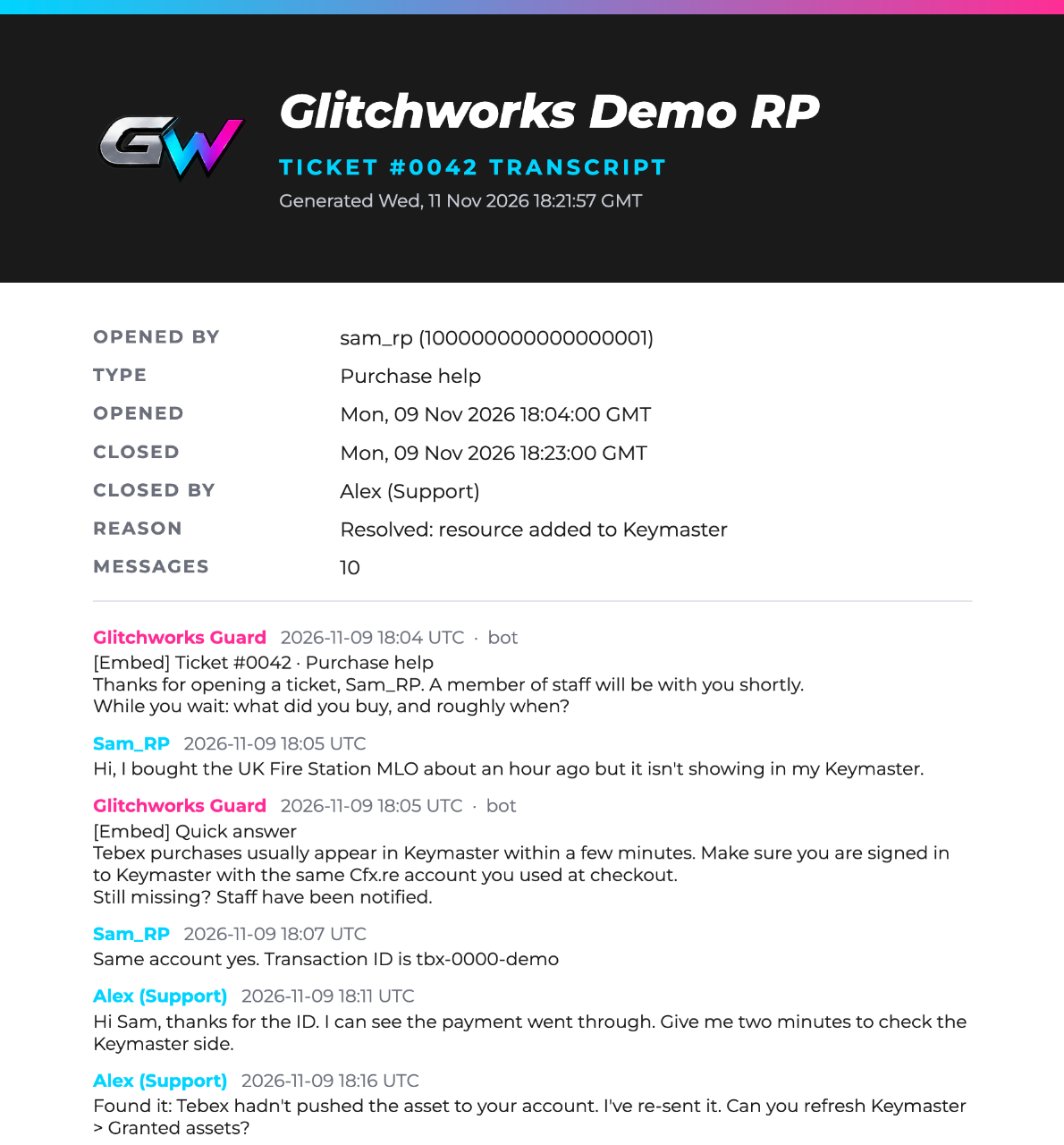 Sample ticket transcriptTicket #0042 · purchase help · 2 pages
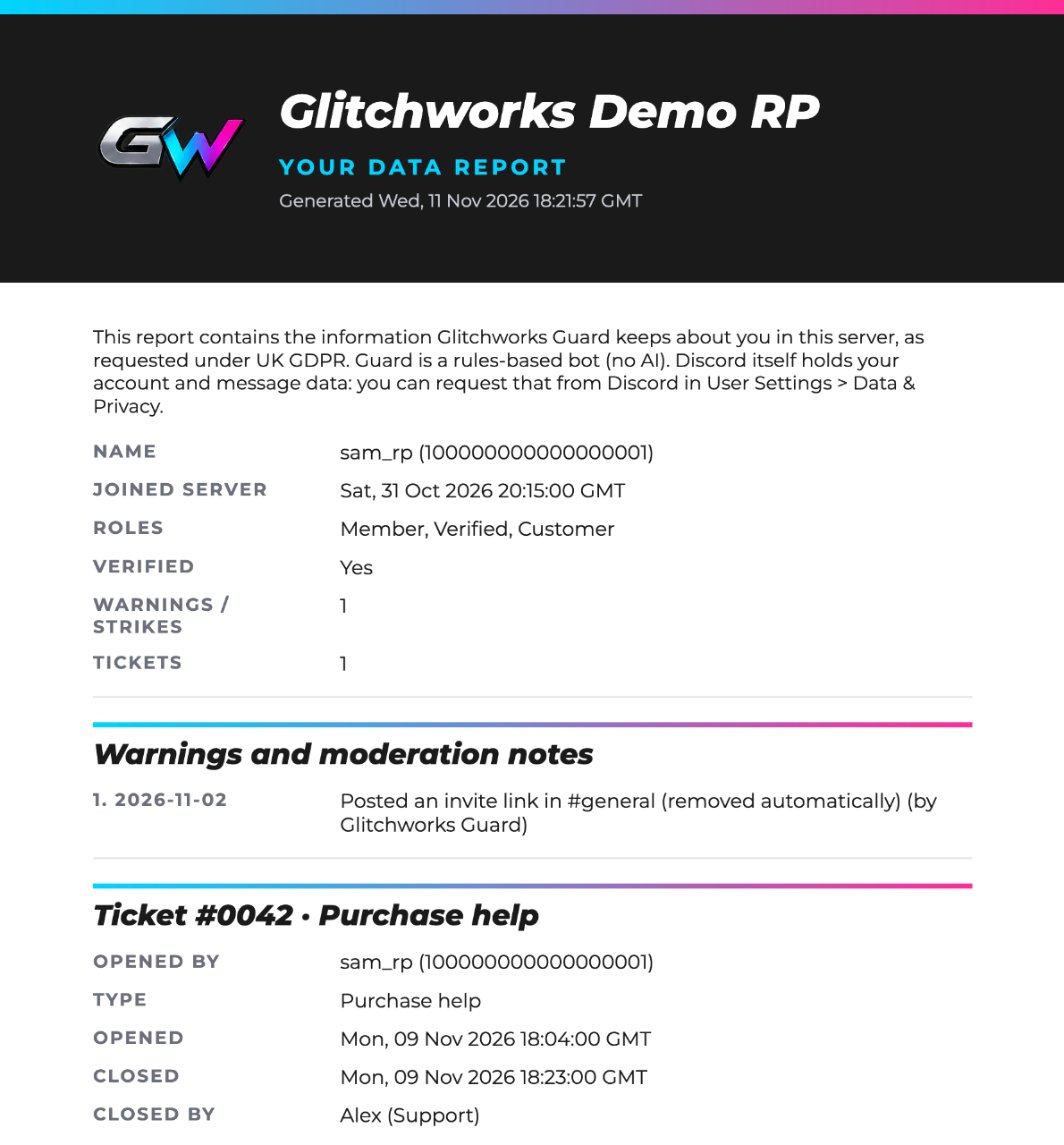 Sample
/mydata reportA member's data request · UK GDPR
These samples use a made-up server and members. Real transcripts stay private to the server that made them.
Need help or something custom?
Our Discord is where to ask questions, get support and start custom work.